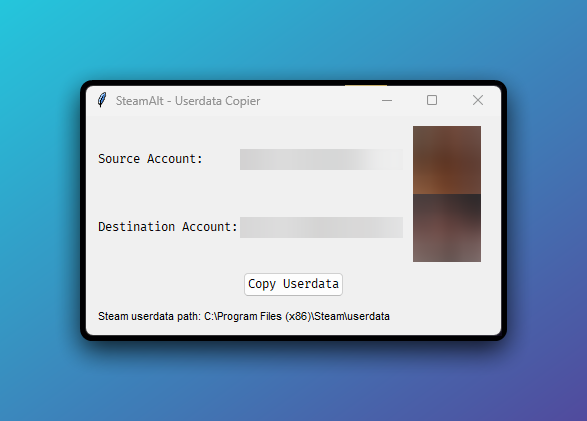
What is SteamAlt?
SteamAlt is a simple GUI tool that allows you to copy game data (saves, settings, etc.) between different Steam accounts on the same computer. This is particularly useful when:
- You have multiple Steam accounts
- You want to transfer game progress to a new account
- You need to sync settings between accounts
Features
Account Switching
Easily select source and destination accounts from detected Steam profiles
Avatar Preview
Visual confirmation with profile avatars to prevent mistakes
Safety Checks
Automatically detects running Steam client and warns before overwriting data
How to Use
Download and Run
Download the latest release from GitHub and run the executable
Windows Download Linux DownloadSelect Accounts
Choose your source account (where data is copied from) and destination account (where data is copied to)
Confirm and Copy
Review the confirmation dialog and proceed. SteamAlt will handle the rest!
Note: Steam should be closed during this process for best results.
Frequently Asked Questions
Is this safe to use?
Yes, SteamAlt only copies files between Steam userdata folders and doesn't modify any Steam system files. However:
- Always back up important data before making changes
- Close Steam before running the tool
- Make sure you've selected the correct accounts
What data gets copied?
SteamAlt copies all numeric folders in the userdata directory, which typically includes:
- Game save files
- Configuration files
- Some game-specific data
It does not copy Steam account credentials or login information.
The tool can't find my Steam userdata folder
If SteamAlt can't automatically detect your Steam installation:
- Click "Cancel" on the error message
- You'll be prompted to manually select your userdata folder
- Navigate to where Steam is installed (typically in Program Files or AppData)
- Select the "userdata" folder